End of the main course
Next steps
Hopefully, you now feel comfortable using Git for version control in your own projects. If you ever need a refresher, you can always revisit the topics in the course or check out the Gitopedia for quick explanations of key concepts and commands.
In the meantime, you can level up your skills even more and also support my work by upgrading to...
GitByBit
PRO
It's a collection of short, focused exercises that build specific Git skills useful for a real dev job in a team setting.
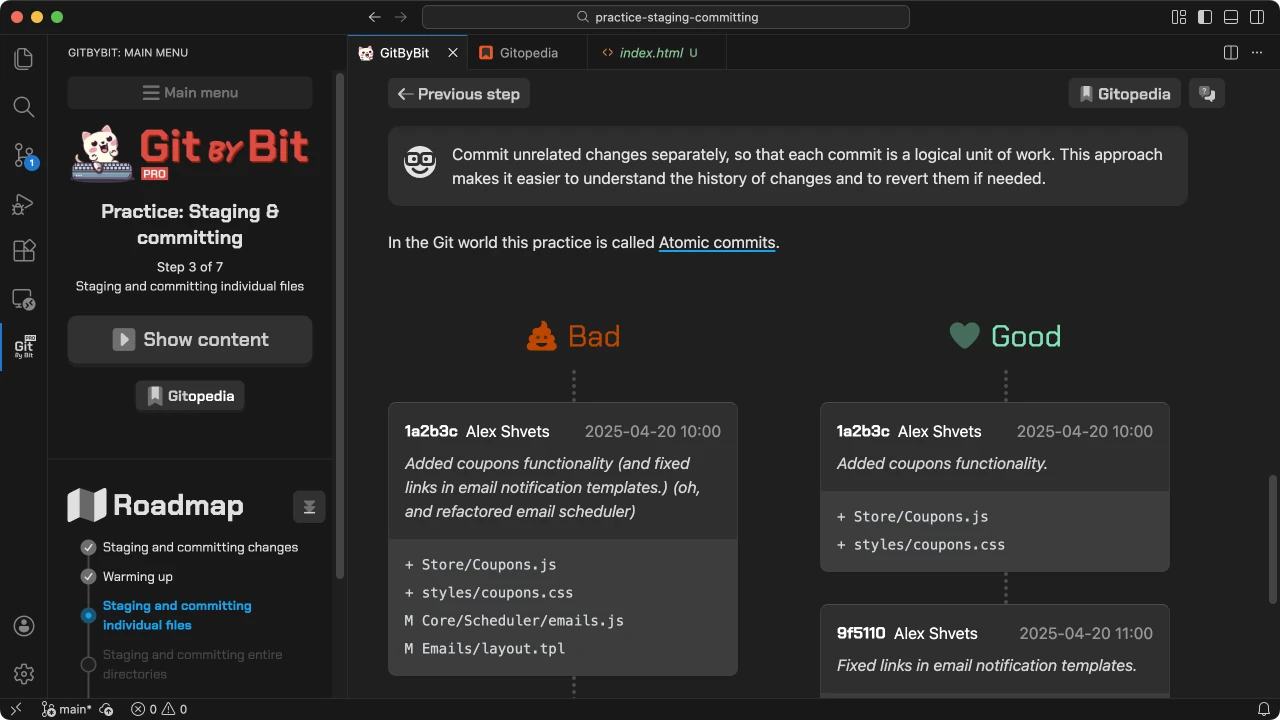
- Staging & committing: 90% of working with Git is putting changes under version control. Practice making clean commits and writing messages that help teammates quickly understand what changed.
- Cleaning the working directory: Real-life development gets messy. Practice clearing stray edits and files, while learning about
.gitignore,git stash, and other techniques to keep your workspace tidy. - Digging through history: Debugging often means going back in time. Learn to find who changed what and why in a realistic multi-year codebase, including when to lean on
git blame. - Merging, rebasing, and resolving conflicts: Combining everyone's changes is when Git gets spicy. Explore different merge and rebase strategies, practice resolving conflicts, and pick up recovery tools like
git reflog. - Contributing with pull requests: Need to fix a bug in a dependency or an open-source project? Go through the full PR workflow: fork, branch, change, submit, respond to feedback, resolve conflicts, and keep reviewers in the loop.
Here are some highlights from the PRO practices:
1 / 15
Main menu